

Recruiters spend an average of six seconds reviewing a portfolio before deciding whether to read further. That means your layout, clarity, and project selection have to work immediately. Many students and early-career professionals waste weeks building fully custom portfolio sites from scratch, only to produce results that look less polished than a well-chosen template. Template-based portfolios, especially those powered by AI, give you a professional foundation instantly so your actual work can do the talking. This article explains exactly how they work, what makes them effective, and how to use them strategically.
Table of Contents
- What is a template-based portfolio?
- Key features and benefits of template-based portfolios
- Hybrid approaches: Customizing templates efficiently
- Best practices for creating template-based portfolios
- Why smart templates beat over-customization for beginners
- AI-powered portfolio templates for rapid results
- Frequently asked questions
Key Takeaways
| Point | Details |
|---|---|
| Templates save time | Template-based portfolios let you build professional showcases quickly without design hassle. |
| Hybrid customization works | Customizing key sections of your template helps you stand out while staying efficient. |
| Tailor to your field | Choose visuals for design portfolios and code samples for development portfolios to highlight strengths. |
| Focus on growth | Include 3-6 projects that demonstrate your skills and progression to impress employers. |
What is a template-based portfolio?
A template-based portfolio is a pre-structured layout designed to display your work, skills, and experience in a visually organized and professionally consistent format. Instead of designing from a blank page, you start with a framework that already handles spacing, typography, color hierarchy, and navigation. You fill in your content and the presentation takes care of itself.
This approach is especially powerful for students and new professionals because it removes the biggest barrier to getting started: design paralysis. You know you need a portfolio, but you spend three weeks deciding on fonts. Templates cut through that by making design decisions for you, and good AI-enhanced templates make those decisions based on your specific field.
Template-based portfolios let students and professionals build structured showcases quickly, focusing on work and growth rather than layout logistics. That shift in focus is significant. When you are not wrestling with CSS or layout grids, you spend more time curating your best projects and writing strong descriptions that explain your thinking and skills.
Here is what a modern template-based portfolio typically includes:
- A hero section with your name, role, and a short pitch
- A projects section with visual or code-based previews
- A skills or tools section tailored to your field
- An about section with a brief professional bio
- Contact or social links for easy outreach
AI-assisted templates go a step further by suggesting content based on your role and experience level. If you tell the system you are a UX design student, it will prioritize visual case studies, recommend a clean layout, and suggest how to describe your process. If you are a developer, it shifts toward a code-first layout with GitHub links and project technical stacks front and center.
"The best portfolio is the one you actually publish, not the one you are still designing."
Over-customization is one of the most common mistakes beginners make. Adding too many custom sections, unusual navigation patterns, or experimental layouts might feel creative, but it often confuses the recruiter and slows down the update process later. A blueprint portfolio template gives you the right structure to start strong without the complexity.
For reference, professional portfolio structure tips consistently point to simplicity and purpose-driven layouts as the markers of portfolios that actually get responses. Structure is not a constraint. It is a communication strategy.
Key features and benefits of template-based portfolios
Having defined what template portfolios are, let us explore their features and why they are so effective for students and early-career professionals entering competitive job markets.
The single biggest benefit is time savings. A well-designed template can go from blank to live in under an hour. Building the same result from scratch would take days, if not longer, especially if you have no formal design or development background. That time savings compounds quickly when you are also studying, job hunting, or working a side gig.

Minimalist designs help focus attention on your work and project growth rather than on decorative elements. This is backed by portfolio reviewers and hiring managers who consistently prefer clean layouts that make projects easy to scan. Flashy animations and multi-column chaos do not add professionalism; they subtract from it.
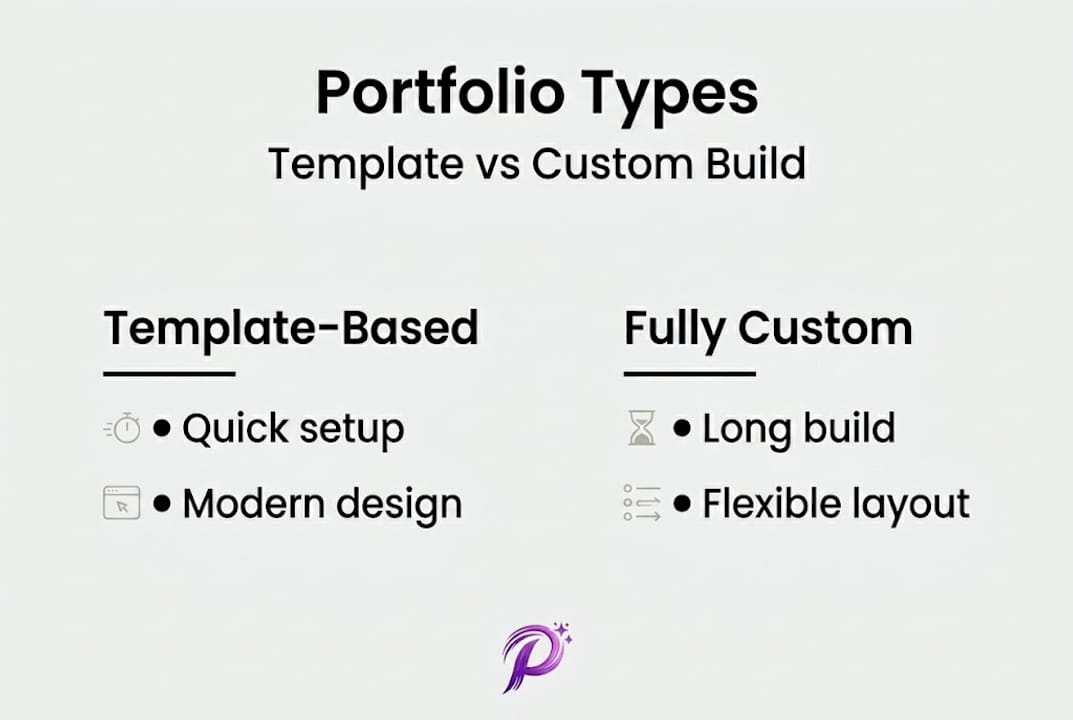
Here is a comparison of template-based versus fully custom portfolios for early-career professionals:
| Feature | Template-based | Fully custom |
|---|---|---|
| Build time | Under 1 hour | Days to weeks |
| Design quality | Consistent, proven | Varies widely |
| Maintenance effort | Low | High |
| Field adaptability | AI can tailor it | Requires redesign |
| ATS compatibility | Often built in | Depends on developer |
| Cost | Low to zero | High if outsourced |
The numbers tell a clear story. For most students and freelancers who need a working portfolio now rather than a perfect portfolio someday, templates win.
Different fields call for different template styles. Here are the most important variations to know:
- Visual-heavy layouts for designers and creatives, prioritizing large image galleries and case study walkthroughs
- Code-focused layouts for developers, emphasizing project repos, tech stacks, and live demos via a terminal portfolio example
- Content-forward layouts for writers and marketers, leading with published pieces and measurable campaign results
- Hybrid layouts for generalists and product professionals, blending visuals with context and metrics
Pro Tip: Choose 3 to 6 projects for your portfolio rather than listing everything you have ever done. Recruiters want to see deliberate curation. A portfolio with 12 half-described projects signals less confidence than one with 5 well-documented ones.
AI customization takes field-specific templates further by analyzing your input and adjusting section order, color palettes, and suggested project descriptions. This means even two people using the same base template can produce distinctly different results that feel personal and field-relevant. Freelancers in particular benefit from this because their portfolios need to speak to clients quickly, and you can learn more about that at portfolio tips for freelancers.
For design inspiration and examples of how professionals structure their work, expert portfolio design offers a strong reference point for what quality presentation looks like in practice.
Hybrid approaches: Customizing templates efficiently
Next, let us look at how customization can help your portfolio stand out without sacrificing the speed and simplicity that templates provide.
A hybrid approach means you accept the template's core structure, layout logic, and design system, but you personalize the sections that matter most to your story. This is different from trying to rebuild the template entirely. The goal is targeted personalization, not a full redesign.
Think of it this way. A template is like a furnished apartment. You could strip it to the studs and rebuild everything, or you could swap the art on the walls, rearrange the furniture, and add a few items that reflect your taste. The second approach is faster, cheaper, and often more effective because the foundation was already solid.
Hybrid custom-template solutions allow students to differentiate while retaining efficiency, which is especially valuable when you are applying to multiple roles and need to update your portfolio quickly for each one.
Here is what to customize and what to leave alone:
- Customize: Your intro text, project titles, project descriptions, profile photo, and contact links
- Customize: Your color accent if your field or brand has a strong color identity
- Leave alone: The overall grid structure, font pairing, and navigation logic
- Leave alone: Spacing and padding (these are carefully calibrated in good templates)
The data on this is practical. Consider how long updates take across different strategies:
| Portfolio strategy | Initial build time | Time to update one project | Time to apply to new role |
|---|---|---|---|
| Fully custom | 10 to 20 hours | 1 to 3 hours | 3 to 5 hours |
| Pure template | Under 1 hour | 15 minutes | 30 minutes |
| Hybrid template | 1 to 2 hours | 20 minutes | 45 minutes |
The hybrid approach sits in a sweet spot. You get noticeable personalization without the maintenance overhead that comes with a fully custom build. Explore hybrid template strategies to see how this balance plays out visually.
Pro Tip: Spend 80% of your customization time on your portfolio intro paragraph and individual project summaries. These are the sections recruiters actually read. Everything else is just the frame.
When adapting templates for different professional domains, the process of customizing templates for professional domains highlights the importance of matching template tone to industry expectations. A bold, high-contrast layout might work for a motion designer but feel jarring for a data analyst applying to a financial services firm.
For even more creative differentiation within a structured system, a brutalist template can give you an edge in fields where visual boldness signals creative confidence.
Best practices for creating template-based portfolios
Finally, let us get practical with step-by-step recommendations for building a standout template-based portfolio that actually advances your career.
Show 3 to 6 projects that demonstrate growth and avoid over-customization. Tailor your template to your field so that every element you include serves a purpose and speaks to the specific audience you are trying to reach.
Follow these steps to build an effective template-based portfolio:
-
Define your audience first. Are you applying for full-time roles, freelance gigs, or internships? Each context needs slightly different emphasis. Freelance clients want proof of fast turnaround and versatility. Recruiters want evidence of skills and growth over time.
-
Choose a template that matches your field's visual language. A developer's portfolio should feel structured and functional. A designer's should show visual range. A writer's should be clean and text-forward. The depth template works well for professionals who need layered storytelling across multiple project types.
-
Select your best 3 to 6 projects. Best does not mean most impressive by title. It means most representative of where you are going, not just where you have been. Include at least one project that shows problem-solving under constraint, whether that was limited time, limited tools, or an unclear brief.
-
Write project descriptions that explain your thinking. Do not just list what you did. Explain why you made the decisions you made, what you learned, and what the outcome was. Use numbers where possible. "Redesigned onboarding flow, reducing drop-off by 22%" communicates far more than "worked on UX improvements."
-
Keep navigation simple and intuitive. Visitors should be able to find your work within two clicks from the homepage. If you have to explain how to use your portfolio, it is already too complex. The matrix portfolio approach uses a clean grid system that keeps visual work accessible without requiring explanation.
-
Update your portfolio after every significant project. Do not wait until you are job hunting to refresh it. Portfolios that are updated regularly also signal active engagement with your craft, which recruiters notice.
"A portfolio is not a resume with pictures. It is evidence of how you think, not just what you have done."
For detailed portfolio creation steps that break down the process further, particularly for those building their first professional showcase, a structured walkthrough helps you avoid common omissions like missing contact information or unlabeled project dates.
One underrated practice is testing your portfolio on mobile before sharing it. Over 60% of initial portfolio views happen on mobile devices. If your layout breaks or your images load slowly on a phone, you lose a recruiter before they see your first project. Good templates handle mobile responsiveness automatically, which is another concrete advantage over custom-built alternatives.
Why smart templates beat over-customization for beginners
Here is an honest perspective that might push back against everything your design school instincts are telling you.
The belief that custom means better is deeply embedded in creative culture. But for students and early-career professionals, over-customization is often a form of procrastination dressed up as craft. You are not refining your portfolio. You are avoiding the vulnerability of putting your actual work in front of people.
Employers do not award points for unusual navigation menus or bespoke color palettes. They look for evidence that you understand the problem you were solving, that you improved over time, and that you can communicate your value clearly. A carbon template with six strong projects and clear writing will outperform a custom-built portfolio with twelve vague project descriptions every single time.
The smartest move for anyone early in their career is to ship a portfolio that is 80% template and 100% real. Get your work in front of people. Collect feedback. Update the projects. The template is not a crutch. It is a professional standard that lets your work breathe.
AI-powered portfolio templates for rapid results
Ready to apply these concepts? Building a polished, professional portfolio does not require weeks of design work or advanced technical skills.
Prezumi's AI-powered templates handle the structure, layout, and field-specific formatting so you can focus entirely on showcasing your work. From clean and minimal to bold and visual, you can explore the full range of AI portfolio templates and find the right match for your field and career stage. If you also need a resume that works alongside your portfolio, the minimal resume template keeps both documents visually consistent. For creative professionals who want impact without complexity, the matrix portfolio template delivers a visual-first layout that is recruiter-ready in minutes.
Frequently asked questions
How many projects should I include in a template-based portfolio?
Include 3 to 6 projects that show progression and skill development. Quality and context matter far more than quantity when recruiters are scanning quickly.
Should I customize every part of a portfolio template?
No. Customize only key sections like your intro and project highlights, because a hybrid custom-template solution allows differentiation without losing the speed and consistency benefits of the original template.
What portfolio template style fits design or development fields best?
Tailor portfolio templates to field by choosing visual-heavy layouts for design work and code-focused structures for development. Each style signals fluency in the visual language of its discipline.
Can I use a template-based portfolio for freelance work?
Yes. Templates support freelance work especially well because they allow rapid updates when pitching different clients without rebuilding your entire site for each opportunity.