

You spend two hours tailoring a resume, hit submit, and hear nothing. No callback, no email, not even a rejection. The culprit is usually an ATS (Applicant Tracking System), the automated software that screens resumes before any human sees them. Studies suggest that over 75% of resumes are rejected by ATS before reaching a recruiter. The good news: AI-powered resume tools have changed the game entirely. This guide walks you through every stage of the resume content creation process, from gathering your materials to final submission checks, so you can move faster and land more interviews.
Table of Contents
- What you need to get started
- Step-by-step process to create optimized resume content
- Troubleshooting and avoiding common mistakes
- Final checks: Review and verification before submitting
- Why real opportunity lies beyond automation
- Create your professional, optimized resume in minutes
- Frequently asked questions
Key Takeaways
| Point | Details |
|---|---|
| Efficient preparation | Gathering all your job-related info and documents ahead speeds up resume building. |
| Leverage AI tools | AI-driven templates and editors help you create ATS-optimized resumes quickly. |
| Avoid common errors | Simple formatting and personalization increase the odds of your resume passing ATS filters. |
| Review before sending | Always verify content, keywords, and formatting for best results. |
| Blend tech with personality | Use AI for structure but retain your personal voice and relevant stories. |
What you need to get started
Before you touch any tool or template, preparation is everything. Job seekers who skip this step end up with generic, unfocused resumes that fail both ATS filters and human readers. Think of this phase as loading your ingredients before you cook. If the ingredients are wrong, no recipe saves the dish.
Here is the core information you need to have ready:
- Full contact details: Name, professional email, phone number, LinkedIn URL, and your portfolio link if you have one
- Work history: Job titles, company names, employment dates, and three to five bullet points of accomplishments per role
- Education: Degrees, institutions, graduation years, and any relevant coursework or honors
- Key achievements: Quantified wins like revenue generated, projects delivered, or clients managed
- Target job description: The specific posting you are applying for, which drives your keyword strategy
Optional but helpful items include certifications, freelance project links, GitHub profiles, and professional references. These add depth without cluttering the core document.
Digital tools streamline resume writing significantly, cutting the time from hours to minutes when you arrive prepared. Once your raw data is ready, the right tool does the heavy lifting.
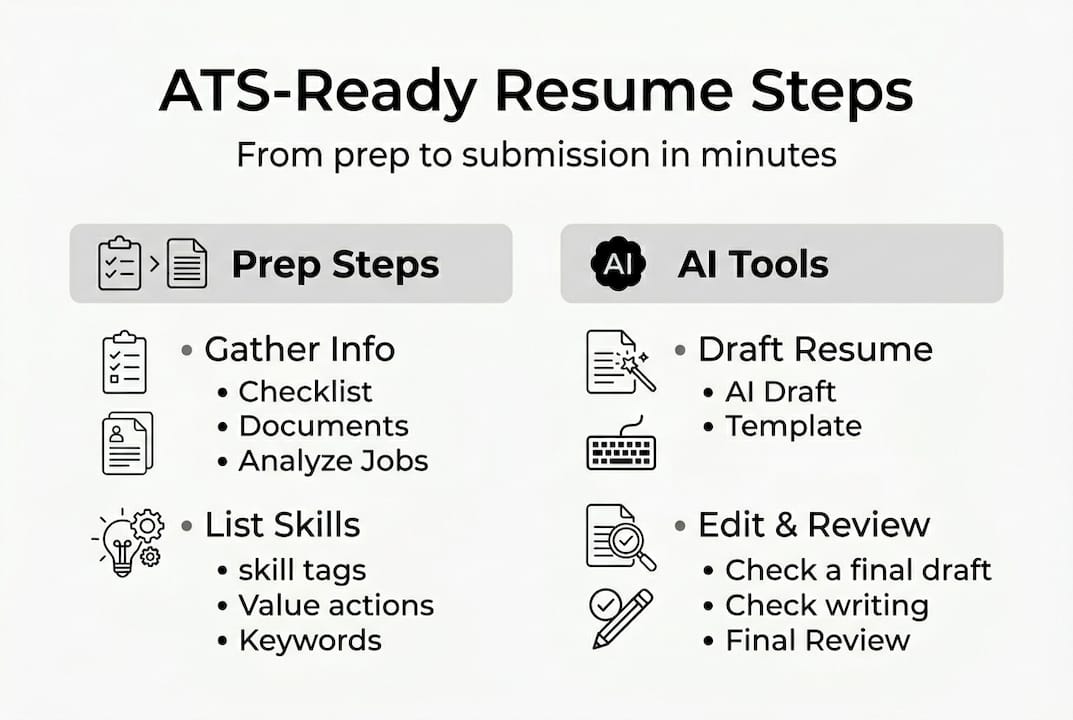
Here is a quick overview of the tool categories worth knowing:
| Tool type | Purpose | Example use |
|---|---|---|
| AI resume builder | Drafts and structures content automatically | Generate bullet points from job titles |
| Template library | Provides formatted, ATS-safe layouts | Pick a clean single-column design |
| Grammar checker | Catches errors before submission | Proofread final draft |
| ATS simulator | Tests keyword match rate | Score resume against job description |
| Portfolio builder | Showcases work samples alongside resume | Link to case studies or design work |
Aligning every piece of your information to the target job description is not optional. It is the single most important thing you can do before you open any AI editor features or start typing.
Step-by-step process to create optimized resume content
With your materials ready, here is how to move through the creation process efficiently and produce a resume that actually gets read.
- Gather and organize your raw data. Pull everything from your preparation checklist into one document. Do not worry about formatting yet. Just get the facts in one place.
- Choose the right template for your industry. Creative fields can handle slightly more visual layouts, while tech and finance roles need clean, minimal designs. Browse AI resume templates that are pre-built for ATS compatibility so you are not starting from scratch.
- Input your data and let AI draft the content. Paste your job titles and accomplishments into the AI editor. The tool will suggest stronger action verbs, restructure weak bullet points, and flag missing keywords based on your target role.
- Run keyword enhancement. Compare the language in your resume to the language in the job description. The AI resume editor highlights gaps and suggests replacements so your resume mirrors what recruiters are actually searching for.
- Tailor the summary section last. Your professional summary should be written after everything else is done. It is a three-sentence snapshot of your most relevant value, and it should change for every application.
- Export in the correct format. Most ATS systems prefer a clean PDF or a .docx file. Avoid image-heavy exports or unusual fonts.
The entire process, from blank page to finished draft, takes under 5 minutes when you use AI tools effectively.
Pro Tip: AI-generated bullet points are a starting point, not a finish line. Always rewrite at least two or three lines in your own voice. Recruiters read hundreds of AI-generated resumes weekly, and a sentence that sounds distinctly human stands out immediately.
Troubleshooting and avoiding common mistakes
Even with AI guidance, certain patterns consistently tank otherwise strong resumes. Knowing what to watch for saves you from the most avoidable rejections.
The most common resume mistakes and how to fix them:
- Over-formatting: Tables, text boxes, columns, and graphics look impressive to humans but confuse most ATS parsers. Stick to a single-column layout with standard section headings. The Brutalist resume format is a strong example of clean, parser-friendly structure.
- Generic content: Phrases like "results-driven professional" or "team player" say nothing. Replace them with specific numbers and outcomes. "Reduced onboarding time by 30%" beats "improved processes" every time.
- Poor keyword strategy: Copying keywords randomly without context triggers spam filters. Use keywords naturally within achievement statements, not as a stuffed list at the bottom of the page.
- Wrong file format: Submitting a resume as a JPEG, PNG, or heavily designed PDF can cause the ATS to read your resume as a blank page. Always test your export.
- Inconsistent job titles: If your resume says "Marketing Lead" but the job posting says "Marketing Manager," the ATS may not connect the two. Mirror the language where it is accurate to do so.
Critical tip: Before submitting to any major employer, run your resume through a free ATS simulator. Many platforms offer a basic keyword match score. Aim for 80% or higher against the specific job description before you apply.
ATS systems reject resumes with complex formatting at surprisingly high rates, which is why the Typewriter template and similar clean designs exist. Simplicity is not a compromise. It is a strategy.

Always do a final personalization pass before hitting submit. Check that the company name, role title, and any specific references in your summary are correct and current.
Final checks: Review and verification before submitting
You are almost there. A strong final review separates candidates who get callbacks from those who do not. This stage is about catching what AI misses and making sure your resume reads as well to a human as it does to a machine.
Before vs. after ATS optimization:
| Element | Before optimization | After optimization |
|---|---|---|
| Summary | "Experienced professional seeking new opportunities" | "B2B sales manager with 6 years driving $2M+ annual revenue" |
| Bullet points | "Responsible for managing social media" | "Grew Instagram engagement by 47% in 90 days through targeted content strategy" |
| Keywords | Missing role-specific terms | Mirrors job description language naturally |
| Formatting | Multi-column with icons and graphics | Single-column, clean headers, standard fonts |
| File format | Designed PDF with embedded images | Text-based PDF or .docx |
Last-minute checklist before submitting:
- Spelling and grammar are error-free (run a final grammar check)
- Your name and contact details appear at the top and are accurate
- Every job title and date is consistent with your LinkedIn profile
- Keywords from the job description appear at least once in context
- The summary is customized to this specific role and company
- File name is professional (e.g., FirstName_LastName_Resume.pdf)
A tailored resume consistently outperforms a generic one in applicant screening, which is why this final pass matters so much. Use the AI review features for a quick automated scan, then do a slow manual read yourself.
Pro Tip: Send your resume to a trusted peer or mentor before applying to your top-choice roles. A fresh set of eyes catches awkward phrasing and logical gaps that you have become blind to after hours of editing.
Why real opportunity lies beyond automation
Here is something most resume guides will not tell you: AI tools have leveled the playing field so effectively that a perfectly optimized resume is now the baseline, not the advantage. Every serious job seeker is running keyword checks and using AI builders. If your resume looks and reads like everyone else's, you are back to square one.
The real edge comes from what you layer on top of the automation. The specific story you tell in your summary. The precise numbers you choose to highlight. The personal touches that make a recruiter pause and think, "I want to talk to this person."
We have seen this pattern consistently. Candidates who use AI to handle structure and formatting, then spend their remaining time sharpening their narrative and refining their voice, outperform those who rely entirely on automation. A resume is not a form to fill out. It is an argument for why you are the right person for a specific job. AI builds the frame. You have to fill it with something real.
Let the tools do the mechanical work. Then step back in and make it yours.
Create your professional, optimized resume in minutes
If you have been putting off updating your resume because the process feels overwhelming, Prezumi removes that barrier entirely.
With Prezumi's AI Resume & Portfolio Editor, you can generate a polished, keyword-optimized resume in under five minutes. Choose from a full library of AI Resume Templates designed for ATS compatibility across industries, or start with the clean and professional Minimal Resume Template if you want a simple, high-impact layout. Every template is built to pass automated screening while still looking sharp to human reviewers. Build, edit, and share your resume or portfolio all in one place, without touching a single design tool.
Frequently asked questions
What is the biggest mistake people make with AI resume builders?
Relying fully on automation without customizing content for each application reduces your chances of success. Manual review and personalization are essential steps that AI alone cannot replace.
How can I make sure my resume passes ATS filters?
Use clean layouts, include relevant keywords from the job description, and avoid graphics or complex formatting. ATS systems reject resumes with heavy design elements at a high rate, so simplicity is your best strategy.
Do AI resume tools really save time?
Yes. AI resume templates can produce a tailored, ready-to-use resume in under five minutes, making them one of the most efficient tools available to job seekers today.
What should I prepare before using an AI resume builder?
Have your work history, key accomplishments, education details, and a target job description ready before you start. Preparation streamlines resume building and ensures the AI has enough context to generate relevant, accurate content.