

Most job seekers spend hours perfecting bullet points, tweaking fonts, and agonizing over which skills to list, yet they treat the profile section like an afterthought. That's a costly mistake. Your profile presentation is the first thing a recruiter reads, and in many cases, it determines whether they read anything else at all. This guide breaks down exactly what a profile presentation is, what it must contain, how it differs from a generic resume summary, and how to optimize it so both human readers and automated systems work in your favor.
Table of Contents
- What is a profile presentation?
- Core components of an effective profile presentation
- Profile presentation vs. summary: Key differences
- Optimizing your profile for algorithms and human readers
- Why most job seekers underestimate the power of profile presentations
- Build your standout profile effortlessly with Prezumi
- Frequently asked questions
Key Takeaways
| Point | Details |
|---|---|
| Profile presentation is critical | A well-crafted profile summary is often the first thing recruiters and algorithms notice. |
| Keep it focused | Limit to 3-5 sentences that highlight your achievements and relevant keywords. |
| Tailor for your audience | Customize your presentation for specific roles, industries, and platforms. |
| Optimize for visibility | Use job-specific keywords to pass ATS and catch recruiter attention. |
What is a profile presentation?
A profile presentation is a short, focused snapshot of who you are professionally. Think of it as your 30-second elevator pitch, captured in writing and positioned where it will do the most work. It usually runs 3 to 5 sentences or between 50 and 200 words, and it lives at the very top of your resume, in the "About" section of your LinkedIn profile, or as the opening statement in a professional portfolio.
The purpose is not to repeat your work history. Instead, it connects your most relevant skills, accomplishments, and professional identity directly to the role or client you're targeting. A hiring manager scanning dozens of applications will often read only this section before deciding whether to continue. That makes it your single highest-leverage piece of writing in any job application.
Profile strategies for job seekers confirm what experienced career coaches have said for years: a targeted, well-written profile section increases the likelihood that a recruiter reads the rest of the resume. Profiles that mirror the language and priorities of a specific job description perform significantly better than generic overviews.
Here's what a strong profile presentation typically covers:
- Who you are as a professional (your role, specialty, or area of expertise)
- What you bring to the table in terms of quantifiable results and relevant skills
- What you're targeting in your next opportunity (without being overly specific or limiting)
- Keywords and phrases drawn directly from job descriptions in your field
As noted in guidance on how to approach this section, profile presentations commonly summarize skills, experience, achievements, and keywords extracted from job descriptions, generally placed at the top of a resume or in key sections of LinkedIn.
A profile presentation isn't a summary of your career. It's an argument for your candidacy, made in the fewest words possible.
Freelancers benefit just as much from this format. When you pitch a new client or send a portfolio link, the top section of your profile creates the first impression. If it's vague or too broad, the client moves on. If it's targeted and specific, it signals professionalism and saves them time, which clients consistently value.
The key shift in mindset is this: stop thinking of the profile as an introduction and start thinking of it as a strategic statement. Every word should be earning its place.
Core components of an effective profile presentation
Now that you know what a profile presentation is, let's break down each building block that makes it stand out.
The anatomy of a strong profile presentation follows a logical structure. Each element serves a distinct purpose, and removing any one of them weakens the overall impact. Here's what every effective profile presentation should include:
- A clear professional identity statement (who you are and what you specialize in)
- Evidence of results (quantifiable achievements like "reduced onboarding time by 30%" or "managed a $50,000 client account")
- Relevant skills and competencies aligned with your target role or industry
- Industry-specific keywords drawn from job descriptions and role requirements
- A forward-facing statement about what kind of value or contribution you're seeking to deliver
Mechanics matter. A profile presentation should be 3 to 5 sentences summarizing skills, experience, achievements, and keywords from job descriptions. This isn't an arbitrary limit. It reflects how humans and algorithms actually process professional content.
| Element | Purpose | Example |
|---|---|---|
| Professional identity | Establishes your role and specialty | "Data analyst with 4 years in SaaS" |
| Quantified achievement | Proves real-world impact | "Increased dashboard usage by 40%" |
| Core skills | Matches recruiter and ATS criteria | "SQL, Python, Tableau, stakeholder reporting" |
| Keywords | Passes algorithmic filters | "Business intelligence, KPI tracking, reporting automation" |
| Value statement | Shows forward intent | "Seeking to lead data strategy at a growth-stage startup" |
One mistake many candidates make is relying heavily on buzzwords. Phrases like "results-driven professional," "team player," or "passionate innovator" appear in thousands of profiles and communicate almost nothing. Recruiters skim past them. What actually works is specific language tied to real outcomes.
For example, "experienced marketing professional" tells a recruiter very little. "B2B content strategist with three years of experience driving 120% year-over-year growth in organic traffic for SaaS companies" tells them almost everything they need to know.
You can refine language like this significantly with using AI editors effectively to sharpen phrasing, improve keyword density, and flag vague or overused terms before you send anything out.
Pro Tip: Copy the job description you're targeting into a text analyzer and identify the most frequently used nouns and action verbs. Then check whether those exact words appear in your profile presentation. If they don't, that's where you start editing.
Sharing your profile as a direct link also matters for freelancers and remote job seekers. When your profile is shareable, it becomes a living document rather than a static file attachment. Platforms that offer shareable profile links make this seamless, letting you send a clean, professional URL instead of attaching a PDF that may or may not render properly on the recipient's device.
Keep every sentence active and forward-looking. Use strong verbs like led, built, generated, reduced, launched, and designed rather than passive constructions. Positive, confident language signals a candidate who knows their value and communicates it clearly.

Profile presentation vs. summary: Key differences
Distinguishing between a profile presentation and a summary ensures your application materials work together effectively.
Many job seekers use "profile" and "summary" interchangeably. That's understandable, but the distinction matters more than most people realize, especially when you're crafting materials for different audiences or platforms.
A profile presentation is specific, targeted, and audience-aware. It changes based on the role, client, or industry you're approaching. Its goal is to make an argument: here's who I am, here's the value I deliver, and here's why I'm right for this specific opportunity. Every word is calibrated.
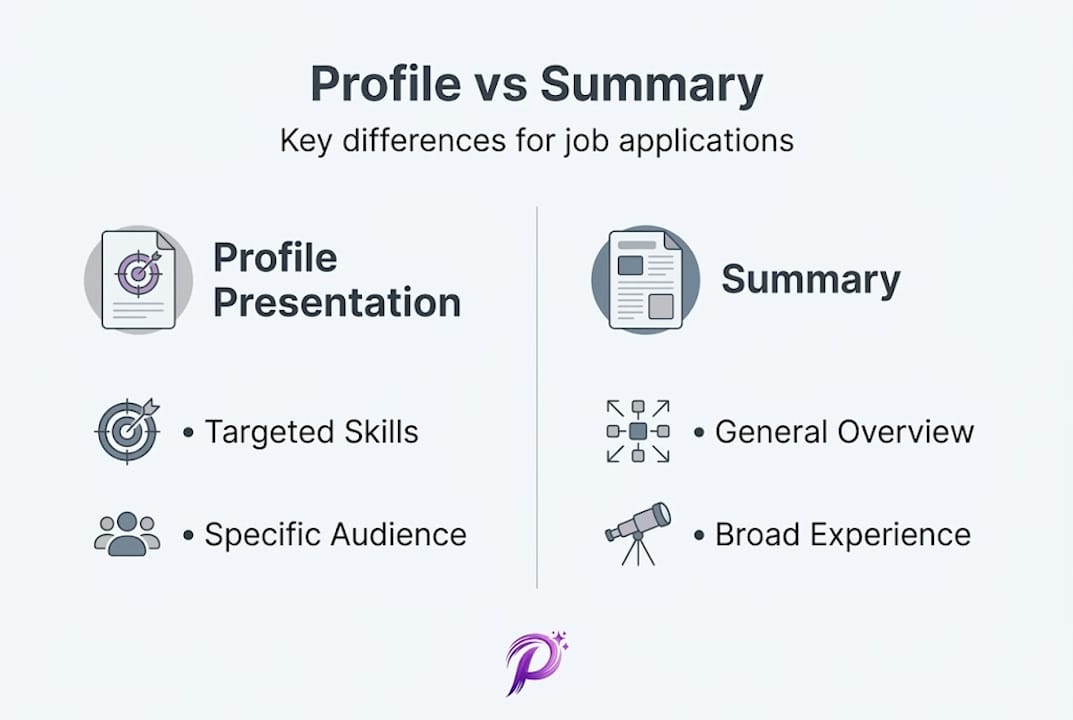
A resume summary is broader. It gives a general overview of your background, career stage, and key competencies without necessarily speaking to a single role or opportunity. It's often more static and reused across multiple applications.
As documented in research on effective professional profiles, profile presentations focus on summarizing unique value and relevant skills, while summaries are broader overviews.
Here's a side-by-side comparison:
| Feature | Profile presentation | Resume summary |
|---|---|---|
| Length | 50 to 200 words | 50 to 150 words |
| Focus | Targeted to a specific role/client | General professional background |
| Purpose | Make a strategic case for candidacy | Provide a career overview |
| Placement | Top of resume, portfolio, LinkedIn | Resume header, LinkedIn "About" |
| Customization | Changes per application | Often static |
| Tone | Direct, specific, evidence-based | Descriptive, broad |
Knowing which format to use and when is a skill that separates good candidates from great ones. Here's a step-by-step guide to making that call:
- Identify your target. Are you applying to a specific role, pitching a specific client, or creating a general professional presence? Specific target means profile presentation. General presence means summary.
- Review the job description. If a posting uses particular language around skills or outcomes, your profile presentation should reflect that language directly.
- Consider the platform. LinkedIn "About" sections benefit from a slightly longer, warmer tone, while resume profile presentations should be concise and keyword-rich.
- Ask whether customization is possible. If you have time to tailor your materials, use a profile presentation. If you need a quick, one-size approach, a summary works better as a base.
- Review and test. After writing either version, paste it into an ATS-ready resume template to check how it renders and whether it retains its formatting through applicant tracking systems.
The bottom line is that both formats have their place, but defaulting to a generic summary when a targeted profile presentation would serve you better is one of the most common missed opportunities in job searching.
Optimizing your profile for algorithms and human readers
Now that the difference is clear, let's focus on making your profile presentation work for both algorithms and people.
Most digital job applications today pass through an ATS before a human ever sees them. These systems scan resumes for keywords, format compatibility, and relevance signals. If your profile presentation doesn't contain the right terms, you may never make it to a recruiter's inbox, no matter how impressive your actual work history is.
Here's how to optimize effectively:
- Use exact-match keywords from the job description, not just synonyms. If the posting says "project management," don't write "project coordination." ATS systems often can't recognize the equivalence.
- Lead with action verbs. Words like led, built, increased, managed, designed, and launched trigger positive signals in both ATS filters and human readers.
- Avoid tables, text boxes, and graphics in resume documents. Many ATS systems can't parse those formats and will skip the content inside them entirely.
- Use standard section headings. Labels like "Profile," "Professional Summary," or "About" are widely recognized. Creative alternatives may confuse the parser.
- Keep formatting simple. A clean, readable layout benefits both algorithms and the recruiter who eventually opens your file.
You can manage multiple targeted versions of your profile for different roles or industries with multi-project profiles, which lets you maintain several profile presentations simultaneously without starting from scratch each time.
Success in this context is measurable. As noted in research on professional visibility, success is measured by interview rates, but the first step is optimizing for ATS and algorithm passage. That means treating keyword alignment as the foundation, not a finishing touch.
Pro Tip: Paste your profile presentation into a free ATS scanner tool (several are available online) and check what percentage of target keywords you're matching. Aim for 70% or higher before submitting. It sounds mechanical, but it directly affects who sees your application.
On the human side of the equation, clarity is everything. Recruiters spend an average of six to eight seconds on an initial resume scan. If your profile presentation buries the most important information or starts with vague language, you've already lost their attention. Front-load your strongest credential or achievement, then build from there.
Using well-structured AI resume templates can accelerate this process significantly, giving you a clean format that's already built to satisfy both audiences.
Why most job seekers underestimate the power of profile presentations
With optimization tactics addressed, it's worth stepping back and reflecting on why profile presentations are underestimated in the first place.
Here's what we observe consistently: most people treat the profile presentation like a warm-up. A few vague lines to fill the space before the "real" content starts. That misunderstanding is expensive.
The profile presentation is actually the highest-stakes section of your entire application. It's the only part that almost every recruiter reads. Everything else, the work history, the education, the skills list, only gets reviewed if the profile earns that attention first. Think of it as the trailer for a film. A bad trailer means nobody watches the movie, no matter how good it actually is.
What we've seen from analyzing hundreds of profiles is this: candidates with fewer credentials but sharp, targeted profile presentations consistently outperform candidates with impressive histories but weak openings. A well-crafted four-sentence profile that mirrors a job description and leads with a quantified result can outweigh two pages of experience when it comes to getting that first call.
The reason most people miss this is that the profile feels soft. It doesn't have bullet points or dates or titles. It feels harder to measure. But the data from real interview outcomes tells a different story. Explore job seeker insights and you'll see the pattern clearly: strategic profile presentations move the needle more than almost any other single improvement in application materials.
Stop treating it like a throwaway. Start treating it like your best pitch.
Build your standout profile effortlessly with Prezumi
Now that you understand the power of profile presentations, here's how Prezumi can help you stand out instantly.
Prezumi is built specifically for students, freelancers, and professionals who need recruiter-ready results without spending hours on design and formatting. The platform's AI editor helps you craft targeted, keyword-rich profile presentations in minutes, drawing on role-specific language that aligns with what recruiters and ATS systems actually look for.
You can choose from a wide library of ATS-ready resume templates designed to keep your formatting clean across devices and applicant tracking systems. Need to apply to multiple roles? Multi-project profiles let you maintain and share separate versions without duplicating effort. And with instant shareable profile links, your profile is always one click away from the right person.
Frequently asked questions
Where should I place my profile presentation on my resume?
Your profile presentation should appear at the very top of your resume, directly below your contact information, or in a prominent section like LinkedIn's "About." Placed at the top of resumes or key LinkedIn sections, it ensures maximum visibility with recruiters.
How long should a profile presentation be?
Keep it to 3 to 5 sentences or roughly 50 to 200 words, focusing on your most relevant skills, results, and professional identity. Brevity signals confidence and respects the recruiter's time.
How do I make my profile presentation stand out to recruiters?
Lead with a quantifiable achievement and include keywords from job descriptions that match what recruiters and ATS systems are scanning for. Specific beats general every time.
Does a profile presentation help with ATS and online applications?
Yes. A well-optimized profile with the right keywords and clean formatting is more likely to pass ATS algorithms and reach a human reviewer. It's one of the most practical improvements you can make to any job application.