

You send out resume after resume, refresh your inbox constantly, and hear nothing back. It feels personal, but most of the time it isn't. The real problem is that your resume never reached a human being in the first place. An Applicant Tracking System, or ATS, quietly filtered it out before any recruiter ever laid eyes on it. This guide breaks down exactly what ATS software looks for, the formatting choices that get you past the filter, and the common errors that silently kill strong applications.
Table of Contents
- What is an ATS and why does it matter?
- Top 7 tips to make your resume ATS-friendly
- ATS-friendly resume formats compared
- Common ATS resume mistakes to avoid
- What most people get wrong about ATS resumes
- Upgrade your resume for better results today
- Frequently asked questions
Key Takeaways
| Point | Details |
|---|---|
| ATS filters most resumes | Failing to optimize your resume means it may never be seen by a recruiter. |
| Simplicity is key | Stick to clean layouts, readable fonts, and standard headings for best results with ATS. |
| Keywords strengthen your case | Use relevant job description keywords naturally throughout your resume. |
| Avoid graphics and columns | Complex designs confuse ATS and could get your resume rejected. |
| Templates can save time | ATS-ready resume templates help you quickly build an application that passes filters. |
What is an ATS and why does it matter?
Now that you see how many resumes get lost before reaching recruiters, let's clarify what ATS actually does and why it's critical to your job hunt.
An ATS, short for Applicant Tracking System, is software that companies use to collect, scan, and rank job applications automatically. Think of it as a digital bouncer standing between your resume and every recruiter inside. It reads your file, checks it against the job requirements, assigns it a score, and decides whether a human should see it at all. If your resume doesn't pass, it simply disappears.
Here's what ATS looks at when it processes your file:
- Keywords: Does your resume include the skills and titles mentioned in the job posting?
- File format: Can the software actually open and read your document correctly?
- Section headers: Are your resume sections labeled in ways the ATS recognizes?
- Layout and structure: Is the content in a clean, linear format the system can parse?
- Contact information: Is your name, email, and phone in a standard, readable location?
Over 90% of large companies use ATS software to filter resumes before they reach a human. That number alone tells you everything. If you're applying to any mid-size or large employer without ATS optimization, you're essentially mailing your resume to an empty room.
"Failing ATS filters doesn't mean you're unqualified. It means your resume wasn't packaged in the way the software expected. A minor formatting mistake can cost you an interview you would have nailed."
The good news is that ATS systems follow rules. They're not creative, they're not opinionated about your career story, and they don't care about your design choices. They care about structure, keywords, and readability. That makes them entirely beatable once you know how they work. Starting with ATS-ready resume templates is one of the fastest ways to sidestep the most common formatting mistakes before they cost you.
Top 7 tips to make your resume ATS-friendly
With an understanding of ATS, it's time to get specific. Let's look at the exact steps to transform your resume and beat the bots.
-
Use standard section headings. Label your sections exactly as a recruiter and an ATS would expect: "Experience," "Education," "Skills," "Certifications." Avoid creative labels like "Where I've Been" or "My Toolkit." These confuse the system and may cause your information to be ignored entirely.
-
Choose a simple, clean layout. No tables, no text boxes, no columns, no graphics, no logos, no headshots. ATS software reads text linearly, top to bottom, left to right. If your content is inside a table or broken into columns, the system may scramble it or skip it entirely. Clean layouts like the Minimal Resume Template or Brutalist Resume Template are specifically built with this in mind.
-
Include the right keywords. Read the job posting carefully and identify the specific skills, tools, job titles, and qualifications they mention. Include those exact terms naturally in your resume. If the posting says "project management," use that phrase, not just "managing projects." The ATS often matches exact strings of text, not concepts.
-
Save your file in the right format. The two safest options are .docx and PDF. Most modern ATS platforms handle both, but some older systems struggle with PDFs. Always read the job posting or application page for specific instructions. If none are given, .docx is the safer default choice.
-
Use a readable, classic font. Stick to fonts like Arial, Calibri, Georgia, or Times New Roman at a 10 to 12 point size. Decorative or unusual fonts may not render correctly when the ATS parses your document. A developer-style font like in the Terminal Resume Template can still be ATS-compatible when it's built on a clean, text-based structure.
-
List experience in reverse-chronological order. Start with your most recent role and work backward. This is the format ATS systems and recruiters both expect. It makes your career progression easy to read and score accurately.
-
Proofread for spelling and formatting errors. Typos in your skill keywords mean the ATS won't find a match. "Project Managment" will not match "Project Management." A single letter out of place can cost you a match score point, and enough missed matches mean your application gets filtered out.
Pro Tip: Never submit the same resume to every job. Take 10 minutes to swap in a few keywords from each specific posting before you apply. This one habit can dramatically increase your match score across different ATS platforms.
Modern resume templates designed for ATS can increase your chances of getting noticed by giving you a solid foundation without the formatting risks that come with building a resume from scratch in a word processor.
ATS-friendly resume formats compared
Now that you have the tips, let's see which resume formats are most effective for ATS and how they compare side by side.
The three most common resume formats are reverse-chronological, functional, and hybrid. Each one has strengths, but they don't all perform equally well when it comes to ATS.
| Format | ATS compatibility | Best for | Weakness |
|---|---|---|---|
| Reverse-chronological | Excellent | Most job seekers, career changers | Less flexible for gaps |
| Functional | Poor to Fair | Career gaps, pivots | ATS often can't parse skills-first layouts |
| Hybrid | Good to Excellent | Experienced professionals | Requires careful formatting |
The reverse-chronological format wins for ATS compatibility nearly every time. It presents your information in the order systems expect to find it, which means less chance of content being misread or skipped. The Explorer Resume Template and the Metro Resume Template both use this structure while keeping the visual design clean enough to impress a human recruiter once your file gets through.
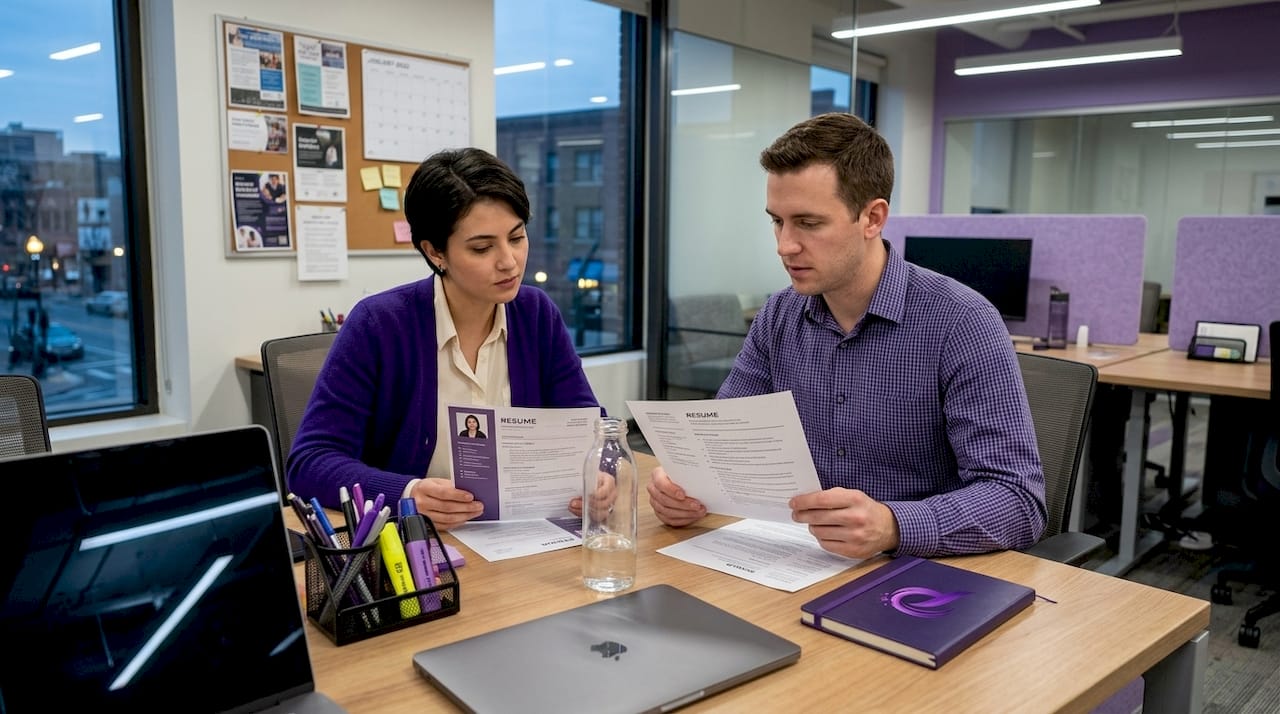
Functional resumes, which lead with a skills summary rather than work history, tend to confuse ATS software. The system is looking for dated work experience in a specific place. When it doesn't find it, it may score your resume lower even if your skills section is packed with relevant keywords.
ATS-optimized resume formats can be built in under 5 minutes with the right template, which means there's no reason to spend hours wrestling with formatting rules manually.
Pro Tip: Consistency is your best friend with ATS. Use the same formatting for every job entry: company name, job title, dates, and bullet points. Any break in the pattern can disrupt how the system reads your timeline.
Common ATS resume mistakes to avoid
Having compared formats, it's just as important to avoid common mistakes that can accidentally sink your perfectly good resume.
Here are the most frequent errors that cause ATS rejections, even for candidates who are genuinely qualified:
- Using images, photos, or logos. ATS cannot read image files. Any information embedded in a graphic simply doesn't exist to the software.
- Using text boxes or columns. These break the linear flow the system needs to parse correctly. Your contact details end up next to your job titles and the result is garbled text.
- Non-standard fonts or unsupported file types. A .pages file from Apple or a .odt file may not open correctly in many ATS platforms. Stick to .docx or PDF.
- Keyword absence. If the job posting mentions "data analysis" and your resume doesn't include those words anywhere, you'll score poorly regardless of how relevant your experience actually is.
- Wrong or missing section headers. Calling your work history "My Journey" instead of "Experience" means the ATS may not recognize or categorize your content at all.
- Missing contact details. Some ATS platforms require a phone number and email address in a specific location. If yours is buried or missing, the system may flag your application as incomplete.
| Mistake | Impact on ATS | Fix |
|---|---|---|
| Images and graphics | Content invisible to ATS | Remove all images |
| Columns and tables | Garbled or skipped text | Use single-column layout |
| Wrong file type | File may not open | Use .docx or PDF |
| Missing keywords | Low match score | Mirror job posting language |
| Fancy fonts | Text may not render | Use Arial, Calibri, or Georgia |
| Non-standard headers | Sections misclassified | Use "Experience," "Education," "Skills" |
Complex formatting and graphics often confuse ATS, leading to missed opportunities even when the candidate is a strong match on paper. A well-structured template like the Europass-Style CV avoids all of these pitfalls by design.
"A resume with a photo, a colored sidebar, and a decorative font might look impressive to you. To an ATS, it looks like a corrupted file. The bots don't appreciate creativity. Recruiters do, but only after you get past the filter."
The lesson here is that you're writing for two audiences in sequence: the ATS first, the recruiter second. Once you clear the ATS with a clean, keyword-rich format, you can let your actual experience and accomplishments do the work of impressing a human being.
What most people get wrong about ATS resumes
With the common mistakes clear, let's tackle the biggest myths and what people often misunderstand about beating ATS systems.
The most persistent myth is that a visually creative resume will stand out and win. Design students, marketing graduates, and creative professionals especially fall into this trap. They invest hours building a beautiful, multi-column PDF with custom icons and color blocks, and then wonder why they never hear back. The honest answer is that their resume probably never made it through the ATS filter at all.
Here's the uncomfortable truth: for most job applications, simple beats stylish every single time at the ATS stage. That doesn't mean boring. It means structured, clean, and strategically written. You can still use a polished template with good typography and layout without sacrificing ATS readability.
Another widespread mistake is keyword stuffing. Some applicants think they can game the system by pasting in every keyword from a job posting dozens of times, sometimes even in white text hoping the ATS picks it up but humans won't see it. Modern artificial intelligence in recruiting has made ATS platforms smarter. They can detect keyword stuffing and flag it. Worse, if your resume does get through and a recruiter sees it, it will immediately read as suspicious or unprofessional.
The right approach is to use keywords naturally, once or twice in the right context, woven into real descriptions of what you actually did. Specificity matters more than repetition.
A lot of people also treat their resume as a static document they update once every few years. The job market moves faster than that. ATS platforms evolve, industry terminology shifts, and the skills companies prioritize change. Treating your resume as a living document, one you review and update before every significant application round, is what separates job seekers who get consistent interviews from those who send hundreds of applications with little result. Using modern ATS resume templates as your starting point gives you a format that already reflects current best practices, so you're not starting from outdated assumptions.
The final misconception is that volume wins. More applications, more chances. In reality, 10 tailored applications submitted with properly optimized resumes will almost always outperform 100 generic ones. Quality, specificity, and structure are what move the needle.
Upgrade your resume for better results today
Ready to fast-track your job search? Here's how you can put these tips into practice with smart tools and templates.
Knowing what ATS looks for is only half the battle. The other half is actually building a resume that puts those principles into action without spending hours reformatting documents or second-guessing layout decisions.
Prezumi's AI-powered resume builder handles the structure, formatting, and keyword guidance for you automatically. You choose a role-specific template, fill in your experience, and the platform ensures everything is formatted in the way ATS systems expect. Templates are clean, recruiter-ready, and mobile-compatible, and you can produce a polished, ATS-optimized resume in under five minutes. Whether you're a recent graduate applying for your first role or a professional pivoting into a new industry, Prezumi gives you a faster, smarter path to getting your resume in front of actual human recruiters. Explore the full template library at Prezumi to find the layout that fits your field and career stage.
Frequently asked questions
What is an ATS and how does it work?
An ATS, or Applicant Tracking System, is software that scans and filters resumes before they reach a human recruiter. Over 90% of large companies use ATS to manage high volumes of applications automatically.
What file format is best for ATS resumes?
The safest option is .docx or PDF, but always check the employer's instructions first. Modern ATS templates are built to export in compatible formats so your layout stays intact.
How do you add the right keywords for ATS?
Extract keywords directly from the job description and include them naturally throughout your resume, particularly in your skills section, job titles, and bullet points.
Does using a resume template help with ATS?
Yes, ATS-optimized templates reduce formatting errors and increase the chance your resume is read. ATS-ready formats can be built in under five minutes with the right template, giving you a strong starting point without the guesswork.
Why was my resume rejected by ATS even though I'm qualified?
Mistakes like using images, columns, fancy formatting, or missing keywords can cause ATS filters to block your resume. Complex formatting and graphics often confuse ATS software, meaning your qualifications never get a chance to be seen.