

Most job seekers assume their resume vanishes into a black hole because of some ruthless automated filter. The reality is more nuanced. 92% of recruiters use ATS systems that rank and sort resumes rather than auto-reject them, meaning the real gatekeepers are formatting errors and missing keywords, not a cold algorithm with a delete button. In this guide, you'll learn exactly what an ATS resume is, how these systems actually process your application, and the specific steps you can take to make sure your resume reaches a real human who can call you in for an interview.
Table of Contents
- What is an ATS resume?
- Crucial ATS resume formatting rules
- Optimizing keywords for maximum visibility
- Balancing ATS optimization with human readability
- A fresh perspective: What most ATS guides miss
- Ready to build your ATS-optimized resume?
- Frequently asked questions
Key Takeaways
| Point | Details |
|---|---|
| ATS resumes focus on parseability | Proper formatting and keywords ensure your resume is read by hiring software and not filtered out. |
| Formatting trumps design | Avoid complex layouts, use standard fonts and headings, and save as .docx for best results. |
| Strategic keywords matter | Match keywords from the job description naturally to boost visibility and avoid resume rejection. |
| Human readability still counts | Make sure your resume tells your story clearly after it passes through ATS software. |
| Leverage AI tools | AI-driven editors and templates can help you create compliant, job-ready resumes faster and smarter. |
What is an ATS resume?
An ATS resume is a document specifically formatted and written to be accurately read by an Applicant Tracking System. These are software platforms companies use to collect, sort, and manage the flood of applications they receive for every open role. Used by over 99% of Fortune 500 companies, ATS software is the first stop your resume makes before any human eyes see it.
But what does the system actually do with your file? Here's the step-by-step process:
- Document conversion: Your file is converted into plain text so the software can read it.
- NLP parsing: Natural Language Processing (NLP) extracts your name, contact info, job titles, skills, and dates.
- Field mapping: That extracted data gets mapped into a structured database recruiters can search and filter.
What recruiters actually see is a clean, searchable profile pulled from your resume data, not your beautifully designed PDF. If the system can't read your file correctly, your profile looks incomplete or blank. That's why the phrase "ATS-friendly" matters so much.
ATS-friendly means your resume is structured so the parsing process above works without errors. Think of it like a form you fill out perfectly versus one where you wrote in the margins. The system only reads the fields it expects.
| What ATS reads | What ATS ignores |
|---|---|
| Plain text content | Logos and graphics |
| Standard section headings | Text inside images |
| Bullet point lists | Decorative borders |
| Dates in consistent format | Headers and footers |
| Skills and job titles | Tables used for layout |
Using an AI-based resume editor can help you structure content correctly from the start, so you're not guessing which elements might trip up the parser. The goal is simple: make the machine's job easy so a recruiter can find you.
Key insight: ATS doesn't decide if you get hired. It decides if a recruiter ever sees your name. That's a subtle but critical distinction.
Crucial ATS resume formatting rules
With the basic mechanics understood, the next step is to see exactly what formatting makes a resume ATS-ready, and how tiny details can have a big impact.
Formatting is where most resumes fail silently. You might have perfect experience, but if your layout breaks the parser, that experience never gets indexed. Here are the non-negotiable rules:
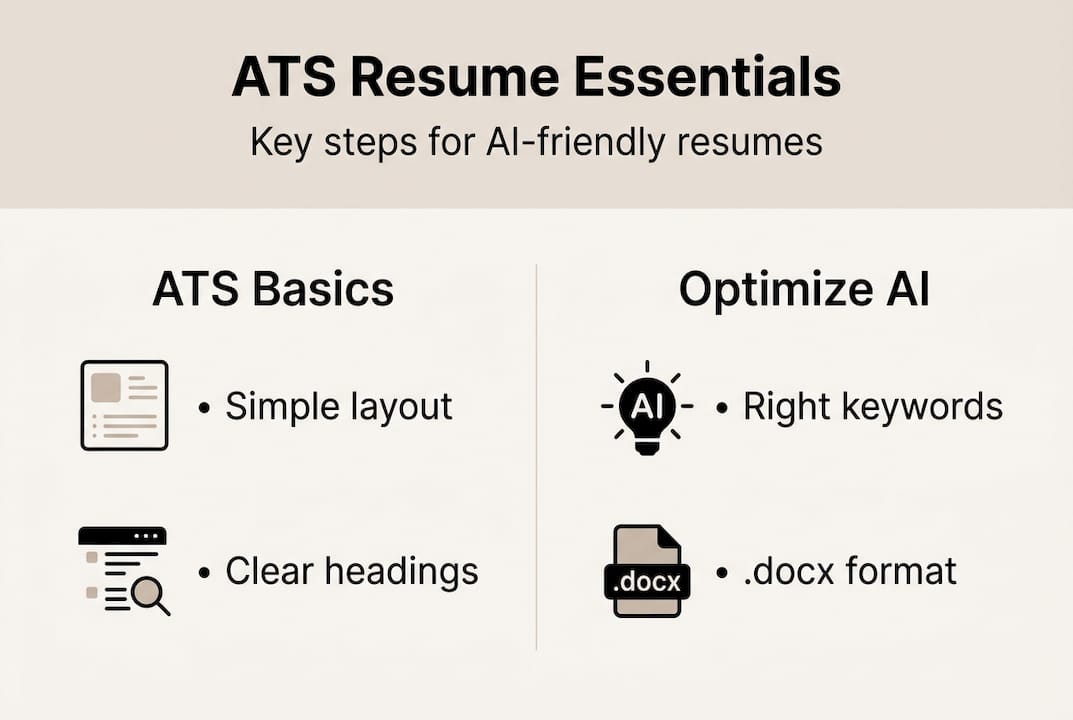
- Single-column layout only. Multi-column layouts drop parsing accuracy to 86%, and skill extraction falls to just 46%.
- Standard fonts. Arial, Calibri, or Times New Roman at 10 to 12 points. Decorative fonts often convert to symbols.
- No text boxes or tables for content. These are invisible to most parsers.
- Standard section headings. Use "Work Experience," "Skills," and "Education" exactly. Creative labels like "Where I've Been" confuse NLP.
- Consistent date formatting. Mixed formats like "Jan 2023" next to "01/2023" break date extraction.
- No smart quotes or decorative bullets. These can corrupt text during conversion.
.docx format is preferred over PDF for maximum compatibility, though some modern systems handle both. When in doubt, submit .docx.
Here's a quick comparison to make this concrete:
| Element | ATS-friendly | ATS-unfriendly |
|---|---|---|
| Layout | Single column | Two or three columns |
| Font | Arial 11pt | Custom decorative font |
| Section label | Work Experience | Career Journey |
| Bullet symbol | Standard dash or dot | Star or arrow icon |
| File format | .docx | Heavily designed PDF |
| Dates | March 2024 | Mar '24 |
Browsing AI resume templates built with ATS compliance in mind removes a lot of this guesswork. For example, a clean option like the Brutalist template uses single-column structure and standard typography by design.

Pro Tip: Copy and paste your resume into Notepad or any plain text editor. If the content reads logically from top to bottom with no missing sections or jumbled text, your resume will likely parse cleanly through most ATS platforms.
Optimizing keywords for maximum visibility
Having formatted your resume for ATS, the next step is to make sure it shows up in recruiter searches. That's where strategic keyword use comes in.
Keywords are the search terms recruiters type into ATS to find candidates. If your resume doesn't contain those exact terms, you won't appear in results, even if you're qualified. 71.4% of resumes score below 75 out of 100 in ATS evaluations, with 28% failing due to keyword mismatch alone.
Here's how to do keyword research the right way:
- Copy the job description. Paste it into a document and highlight every skill, tool, and qualification mentioned.
- Identify repeated terms. Words that appear more than once are almost always priority keywords.
- Match your language to theirs. If the posting says "project management" and you wrote "project coordination," you may not match.
- Place keywords in context. Weave them into your summary, skills section, and job bullet points naturally.
- Use the full term and acronym. Write "Search Engine Optimization (SEO)" once so both versions are indexed.
What you should never do: keyword stuffing (cramming in dozens of terms that don't relate to your actual experience) or white text tricks (hiding keywords in white font). These tactics cause parsing issues that reduce your visibility and can get your application flagged entirely.
Pro Tip: Templates like the Explorer template and the Terminal template include dedicated skills sections that make it easy to list keywords in a clean, parser-friendly format without stuffing them awkwardly into your experience bullets.
Quick stat: 52% of resumes have parsing issues that reduce their visibility in recruiter searches. Fixing formatting and keywords together addresses both the most common failure points.
Balancing ATS optimization with human readability
Even a perfectly formatted, keyword-optimized resume won't land interviews if it's unreadable. Here's how to keep the human element strong.
Here's something most ATS guides skip: the recruiter who finally opens your resume spends about 7 seconds deciding whether to keep reading. In that window, they're scanning for your top skills and quantified results, not admiring your layout. That means your resume needs to be skimmable and compelling at the same time.
Practical ways to balance both sides:
- Lead with a strong summary. Two to three sentences that hit your top keywords while telling a clear story.
- Use numbers wherever possible. "Increased sales by 32%" beats "responsible for sales growth" every time.
- Keep bullet points tight. One clear achievement per bullet. No paragraph-length descriptions.
- Prioritize the top third. Recruiters rarely scroll far, so your most impressive content should appear early.
- Use white space strategically. A clean layout reads faster and feels more professional.
There's also an important fairness angle worth knowing. Traditional ATS keyword matching can amplify bias by favoring candidates whose language mirrors historical hires. Semantic AI systems are emerging to address this, but exact-match keyword systems are still dominant in 2026. That's another reason to write for humans first and optimize for machines second.
For resumes that feel clean and human-friendly, templates like the Minimal template or the Zen template strike that balance well. You can also explore resources for job seekers that walk through how to present your experience compellingly for both audiences.
A fresh perspective: What most ATS guides miss
Most ATS advice stops at "use the right keywords and a single-column layout." That's necessary, but it's not enough. The job seekers and students who actually land interviews understand something deeper: every employer is different, and a resume that's technically ATS-compliant but generic will still get skipped.
The real move is to treat each application as a short research project. Read the job description carefully. Look at the company's website. Understand what they actually value. Then use an AI tool to help you remap your experience to their language quickly, without rewriting from scratch every time.
Relying on AI resume template tips isn't about letting a machine write your story. It's about using smart tools to handle the mechanical parts, formatting, keyword matching, structure, so you can focus on what only you can provide: your actual experience, your results, and your voice. That combination is what gets callbacks. Exact-match keyword tricks alone never will.
Ready to build your ATS-optimized resume?
You now have a clear picture of how ATS systems work, what formatting they require, and how to use keywords without sacrificing readability. Putting all of this into practice manually takes time. That's exactly what Prezumi is built to solve.
Prezumi's AI resume builder generates structured, ATS-compliant resumes in under five minutes, with no design skills needed. Browse ATS-ready templates built around recruiter expectations, then use the AI-powered editor to tailor your content to each job posting. Whether you're a student applying for your first role or a professional switching industries, Prezumi gives you the tools to move fast and apply with confidence.
Frequently asked questions
What is the difference between an ATS resume and a regular resume?
An ATS resume uses specific formatting and keywords so it can be accurately parsed and ranked by applicant tracking software, while a regular resume may prioritize visual design that confuses these systems.
Will using a fancy design or PDF format hurt my chances with ATS?
Yes. Complex layouts and PDFs often cause parsing errors. Single-column .docx files with standard fonts and headings give you the best compatibility across most ATS platforms.
What is the most common reason ATS rejects resumes?
Most resumes fall short due to formatting failures or keyword gaps rather than automatic rejection. ATS systems rank and sort rather than outright reject, so human reviewers make the final call.
How can I quickly test if my resume is ATS-friendly?
Paste your resume into a plain text editor like Notepad. If the content reads logically and completely, with no scrambled sections or missing text, it will likely parse cleanly through most ATS systems.
Do I need a different ATS resume for every job application?
Customizing your resume for each role can boost interview chances by 6x. AI tools make keyword mapping fast enough that tailoring per application is practical, not just ideal.